30 free Microsoft Azure Fundamentals (AZ-900) practice questions
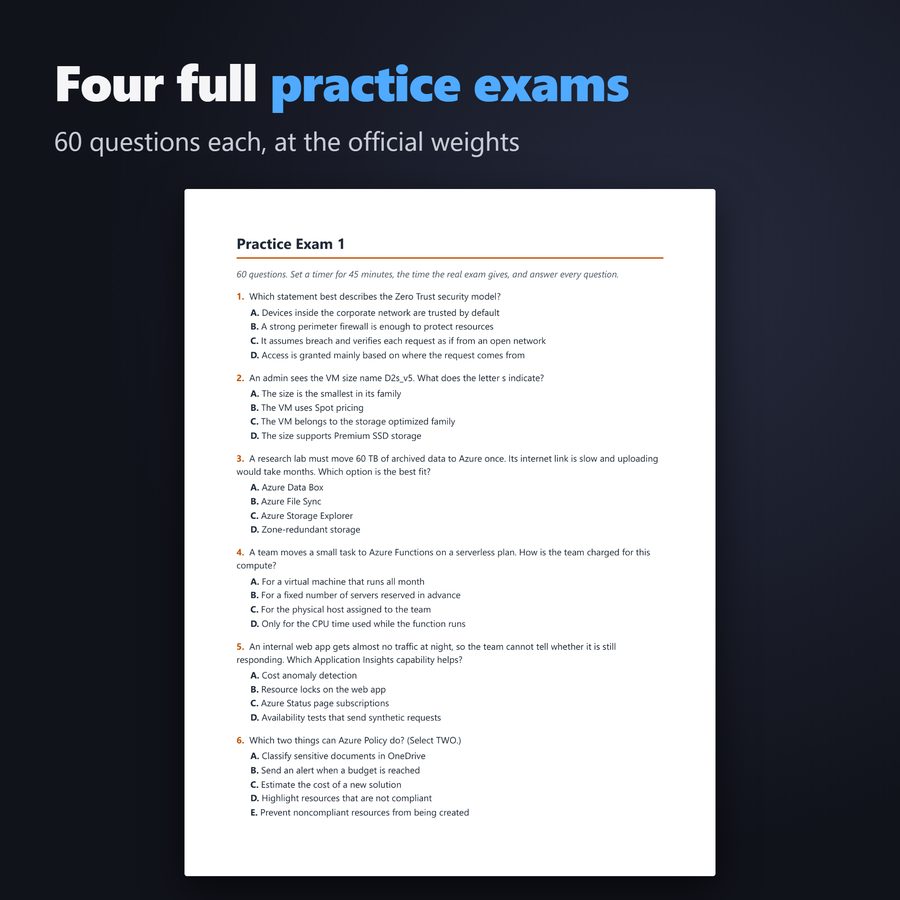
Thirty questions split roughly the way the official study guide weights the three skill areas, 8 on cloud concepts, 12 on Azure architecture and services and 10 on management and governance. They follow the skills measured as of July 20, 2026, with current names such as Microsoft Entra ID. Some ask for two answers.
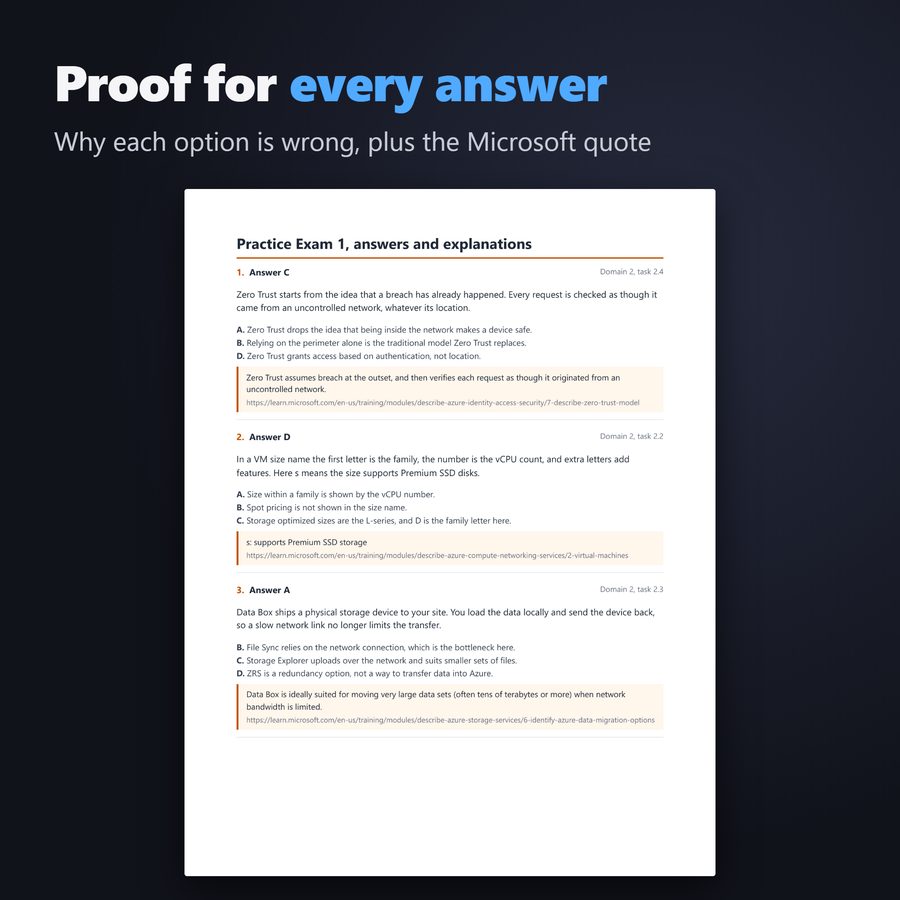
The part that matters to me is the proof. After you check an answer, you get the sentence from Microsoft Learn that backs it, with the link. If Microsoft changes a page and a question goes stale, you will see it before I do, and I would like to hear about it.
Under the shared responsibility model, who is responsible for the power, cooling and physical security of a cloud datacenter?
Answer D. Physical security, power, cooling and network connectivity of the datacenter always belong to the cloud provider. The customer has no physical presence there, so these tasks cannot reasonably fall on them.
- A. Customers are not located in the provider's datacenter, so they do not handle its physical facilities.
- B. These physical items are not shared, they belong entirely to the provider.
- C. An internet service provider supplies connectivity to the customer, not datacenter facilities.
“Physical security, power, cooling, and network connectivity are the responsibility of the cloud provider.”
learn.microsoft.com/en-us/training/modules/describe-cloud-compute/4-describe-shared-responsibility-model
Which TWO statements are characteristics of a public cloud? (Select TWO.)
Answer A, D. In a public cloud the provider owns the hardware, so scaling up needs no capital spending. You are billed only for the resources you consume.
- B. Buying hardware is a characteristic of a private cloud.
- C. Complete control is a characteristic of a private cloud.
- E. Keeping data away from other tenants is a characteristic of a private cloud.
“No capital expenditures to scale up [...] You pay only for what you use”
learn.microsoft.com/en-us/training/modules/describe-cloud-compute/5-define-cloud-models
Which TWO are benefits of the consumption-based model? (Select TWO.)
Answer A, E. With the consumption-based model you avoid up-front hardware costs and you can add or release resources as demand changes. You pay only for what you use.
- B. The consumption-based model charges for actual use, not a flat fee.
- C. The provider keeps the hardware, you rent compute and storage.
- D. Buying capacity in advance is the traditional model the cloud avoids.
“No upfront costs for hardware or datacenter infrastructure. [...] The ability to release resources when demand decreases.”
learn.microsoft.com/en-us/training/modules/describe-cloud-compute/6-describe-consumption-based-model
What best describes serverless computing?
Answer A. Serverless computing removes the need for developers to manage servers. The provider handles infrastructure, scaling and maintenance, while servers still run the code behind the scenes.
- B. Servers still run the code, they are just managed by the provider.
- C. Removing that server work from developers is the point of serverless.
- D. Serverless does not give each application its own physical server.
“Serverless computing is a cloud execution model that removes the need to manage servers.”
azure.microsoft.com/en-us/resources/cloud-computing-dictionary/what-is-serverless-computing
A company runs its app in several Azure regions. A natural disaster takes one region offline, yet the app keeps running from the others. Which cloud characteristic makes this possible?
Answer C. Cloud resources can be deployed in regions around the world. If one region fails, the others keep serving, which improves reliability.
- A. Bigger VMs in one region do not survive the loss of that region.
- B. Pricing affects cost, not survival of a regional outage.
- D. Auditing flags noncompliant resources, it does not keep an app online.
“With this global scale, even if one region has a catastrophic event other regions are still up and running.”
learn.microsoft.com/en-us/training/modules/describe-benefits-use-cloud-services/3-reliability-predictability-cloud
Which Azure service helps an organization enforce its standards and assess compliance across many resources?
Answer A. Azure Policy compares resources with business rules. It shows compliance in a dashboard and can remediate noncompliant resources.
- B. The Pricing Calculator estimates cost.
- C. Autoscale adjusts the number of instances to load.
- D. Load Balancer distributes network traffic.
“This overview describes how Azure Policy helps to enforce organizational standards and to assess compliance at-scale.”
learn.microsoft.com/en-us/azure/governance/policy/overview
A team building its own web app wants to stop handling licensing and patching for operating systems and databases. Which service type fits?
Answer B. PaaS takes over the operating system and database layer. The team deploys its own code without patching that layer.
- A. In IaaS you still manage and patch the operating system yourself.
- C. SaaS rents a finished application, so the team could not run its own code.
- D. On premises the team handles all licensing and patching.
“In a PaaS scenario, you don't have to worry about the licensing or patching for operating systems and databases.”
learn.microsoft.com/en-us/training/modules/describe-cloud-service-types/3-describe-platform-service
Which TWO statements about software as a service are true? (Select TWO.)
Answer D, E. With SaaS you rent a fully developed application. The provider handles almost everything, so customers carry the least operational work.
- A. Control over the OS is a feature of IaaS.
- B. SaaS is the least flexible type, IaaS is the most flexible.
- C. The provider updates the application in SaaS.
“Software as a service (SaaS) is the most complete cloud service model from a product perspective. [...] SaaS has the lowest operational overhead for customers.”
learn.microsoft.com/en-us/training/modules/describe-cloud-service-types/4-describe-software-service
A company plans disaster recovery using Azure region pairs. How far apart are the two regions in most pairs?
Answer A. Most Azure regions are paired with another region in the same geography that is at least 300 miles away. This distance keeps one regional disaster from hitting both.
- B. Regions this close would share the same disasters, which defeats the purpose of pairing.
- C. Azure does not use a fixed distance of 1,000 miles.
- D. Most pairs stay within the same geography, such as US, Europe or Asia.
“Most Azure regions are paired with another region within the same geography (such as US, Europe, or Asia) at least 300 miles away.”
learn.microsoft.com/en-us/training/modules/describe-core-architectural-components-of-azure/5-describe-azure-physical-infrastructure
A team deploys zonal virtual machines in zone 1 and zone 2. Zone 1 has an outage. Who is responsible for failing the workload over to zone 2?
Answer B. Zonal resources are placed in a zone you pick, and Microsoft does not manage failover between them. The customer designs and performs the failover.
- A. Automatic failover by Microsoft applies to zone-redundant deployments, not zonal ones.
- C. Region pairs work across regions and do not handle zone failover.
- D. The Tenant Root Group is a management group in your own tenant, not a failover service.
“If an outage occurs in an availability zone, you're responsible for failover to another zone.”
learn.microsoft.com/en-us/azure/reliability/availability-zones-overview
An Azure Policy on the Production management group allows virtual machines only in West US. A subscription owner under that group tries to change the rule for one subscription. What happens?
Answer C. Policies set on a management group are inherited by all subscriptions and resources beneath it. Resource and subscription owners cannot override them, which strengthens governance.
- A. Owners lower in the hierarchy cannot override an inherited management group policy.
- B. New resource groups in the subscription still inherit the policy.
- D. Inherited policies apply to all VMs in the subscriptions under the group.
“The resource or subscription owner can't override it, which strengthens governance.”
learn.microsoft.com/en-us/training/modules/describe-core-architectural-components-of-azure/6-describe-azure-management-infrastructure
Which statement correctly describes a difference between containers and virtual machines in Azure?
Answer C. Each VM has its own operating system that you connect to and manage. A container does not give you an OS to manage, which makes it lighter and quicker to start.
- A. That describes a VM. A container shares the host and you don't manage its OS.
- B. Containers can run on a physical or a virtual host.
- D. Containers are the lighter and more agile option, they restart quickly.
“Unlike virtual machines, you don't manage the operating system for a container. Each virtual machine runs its own operating system that you can connect to and manage.”
learn.microsoft.com/en-us/training/modules/describe-azure-compute-networking-services/5-containers
A team wants to host a Python web app and a REST API without managing servers, with automatic scaling and continuous deployment from GitHub. Which service fits?
Answer C. App Service is a managed platform for web apps, APIs and mobile back ends. It scales automatically and deploys from GitHub, Azure DevOps or any Git repo.
- A. VMs would make the team manage the OS and infrastructure.
- B. Azure Virtual Desktop delivers desktops, it does not host web apps.
- D. ExpressRoute is a private network connection, not a hosting service.
“App Service lets you build and host web apps, background jobs, mobile back-ends, and RESTful APIs in the programming language of your choice without managing infrastructure.”
learn.microsoft.com/en-us/training/modules/describe-azure-compute-networking-services/7-describe-application-hosting-options
A remote employee needs an encrypted connection from a laptop to an Azure virtual network. Which VPN Gateway connection type fits?
Answer C. VPN Gateway supports site-to-site, point-to-site and network-to-network connections. Point-to-site is the one for individual devices.
- A. Site-to-site links a whole on-premises datacenter, not a single device.
- B. Network-to-network links two virtual networks.
- D. Global Reach links ExpressRoute circuits, not single laptops.
“Connect individual devices to virtual networks through a point-to-site connection.”
learn.microsoft.com/en-us/training/modules/describe-azure-networking-services/3-virtual-private-networks
A developer is designing an app on Azure Storage. It needs a NoSQL store for structured, non-relational customer data and a separate store for messages passed between the web tier and a background worker. Which two services meet these needs? (Select TWO.)
Answer A, C. Azure Tables stores structured, non-relational data without a fixed schema. Azure Queues stores messages so that application components can work asynchronously.
- B. Disks are block volumes for virtual machines, not a NoSQL store or a message store.
- D. Files provides SMB and NFS file shares, not messaging or NoSQL tables.
- E. Data Box is a physical device for moving data into Azure, not a storage service for an app.
“A messaging store for reliable messaging between application components. [...] NoSQL table option for structured, non-relational data.”
learn.microsoft.com/en-us/training/modules/describe-azure-storage-services/4-describe-azure-storage-services
A reporting app must be able to read data from the secondary region at any time, even when no failover has happened. Which redundancy option provides this?
Answer C. GRS and GZRS keep a copy in a secondary region, but by default it is not readable. The read-access versions, RA-GRS and RA-GZRS, let you read that copy before any failover.
- A. With GRS the secondary copy cannot be read until a failover occurs.
- B. ZRS has no secondary region at all.
- D. LRS keeps every copy in a single datacenter in the primary region.
“To read secondary-region data before failover, enable read-access geo-redundant storage (RA-GRS) or read-access geo-zone-redundant storage (RA-GZRS).”
learn.microsoft.com/en-us/training/modules/describe-azure-storage-services/3-redundancy
An operations team is comparing AzCopy and Azure Storage Explorer. Which two statements are correct? (Select TWO.)
Answer A, D. When AzCopy synchronizes, it copies from the source you name to the destination, never the other way. Storage Explorer gives a graphical front end and relies on AzCopy for the actual transfers.
- B. AzCopy does not sync both ways, you choose a source and a destination.
- C. Storage Explorer also runs on macOS and Linux.
- E. AzCopy can copy between storage accounts and even work with other cloud providers.
“Synchronizing blobs or files with AzCopy is one-direction synchronization. [...] It works on Windows, macOS, and Linux operating systems and uses AzCopy on the backend to perform all of the file and blob management tasks.”
learn.microsoft.com/en-us/training/modules/describe-azure-storage-services/7-identify-azure-file-movement-options
A security lead says single sign-on is only as strong as one part of the process. Which part does she mean?
Answer C. Every connection after the first sign-in relies on that first authentication. If the initial sign-in is weak, all the apps reached through SSO are exposed, which is why SSO is often paired with MFA.
- A. Adding or removing apps does not change how secure the first sign-in is.
- B. With SSO users do not sign in to each app separately, so per app passwords are not the weak point.
- D. The tenant region has no link to the strength of the sign-in.
“Single sign-on is only as secure as the initial authenticator because the subsequent connections are all based on the security of the initial authenticator.”
learn.microsoft.com/en-us/training/modules/describe-azure-identity-access-security/3-authentication-methods
A company wants to give permissions by placing people in roles such as Reader or Owner, rather than setting access for each person one by one. Which Azure feature does this?
Answer D. Azure RBAC uses built-in or custom roles, each with a set of permissions. Anyone assigned to a role, alone or through a group, receives those permissions.
- A. Azure Policy checks that resources follow rules, it does not grant people permissions.
- B. Resource locks stop deletion or changes to a resource, they do not assign access.
- C. Conditional Access decides whether a sign-in is allowed, not what a user can do on resources.
“When you assign individuals or groups to one or more roles, they receive all the associated access permissions.”
learn.microsoft.com/en-us/training/modules/describe-azure-identity-access-security/6-role-based-access-control
A team segments its Azure resources so they can talk to each other only when required and denies other traffic by default. Which defense-in-depth layer is this?
Answer D. The network layer limits connectivity between resources to what is needed. Segmentation and deny by default stop an attack from spreading to other systems.
- A. Physical security protects buildings and hardware in the datacenter.
- B. The application layer keeps apps free of vulnerabilities and secrets stored safely.
- C. Identity and access secures identities and logs sign-in events and changes.
“The network layer limits communication between resources through segmentation and access controls.”
learn.microsoft.com/en-us/training/modules/describe-azure-identity-access-security/8-describe-defense-depth
A student reads that outbound data transfer prices depend on billing zones. What is a billing zone?
Answer B. A billing zone groups Azure regions for the purpose of pricing data transfers. It should not be confused with an availability zone, which is about resiliency inside a region.
- A. That describes an availability zone, which is different from a billing zone.
- C. That describes a region pair, which is not a pricing concept.
- D. Management groups organize subscriptions for governance, not data transfer pricing.
“Billing zones are different from availability zones; a billing zone is a geographical grouping of Azure regions used specifically for data-transfer pricing.”
learn.microsoft.com/en-us/training/modules/describe-cost-management-azure/2-describe-factors-affect-costs-azure
An architect built an estimate in the Azure pricing calculator and wants to send it to the finance team as a file. What can she do?
Answer A. The pricing calculator can export an estimate to an Excel file that you can share. It can also create a unique link to the estimate.
- B. Tags are metadata on resources and cannot hold a calculator estimate.
- C. Azure Policy enforces rules and does not store estimates.
- D. Resource locks apply to Azure resources, not to calculator estimates.
“Exports the current estimate to an Excel file.”
learn.microsoft.com/en-us/azure/cost-management-billing/costs/pricing-calculator
A company requires that every new resource has an Owner tag. Which service can enforce this rule as resources are created?
Answer B. Azure Policy can enforce tagging rules and conventions. It can require tags on new resources and reapply tags that were removed.
- A. Cost Management reports on costs but does not enforce tagging rules.
- C. The calculator estimates costs and has no control over deployments.
- D. Locks block deletion or changes, they do not add or require tags.
“You can use Azure Policy to enforce tagging rules and conventions.”
learn.microsoft.com/en-us/training/modules/describe-cost-management-azure/7-describe-purpose-of-tags
A company wants to make sure that only certain virtual machine sizes can be used, both when VMs are created and when they are resized. Which service should it use?
Answer B. Azure Policy can define a rule that allows only certain VM sizes. The rule is checked when a new VM is created and whenever an existing VM is resized.
- A. Locks prevent deletion or changes but cannot limit VM sizes.
- C. Purview governs data, not VM configurations.
- D. Tags add metadata and do not restrict VM sizes.
“For example, if you define a policy that allows only a certain size for the virtual machines (VMs) to be used in your environment, that policy is invoked when you create a new VM and whenever you resize existing VMs.”
learn.microsoft.com/en-us/training/modules/describe-features-tools-azure-for-governance-compliance/3-describe-purpose-azure-policy
A Delete lock is placed on a storage account. What can authorized users still do with the account?
Answer C. With a Delete lock, users keep their normal read and modify rights. The only thing blocked is deleting the resource.
- A. That describes a ReadOnly lock.
- B. A Delete lock is designed to block deletion.
- D. Locks do not expire and still allow reading and changes.
“Delete means authorized users can still read and modify a resource, but they can't delete the resource.”
learn.microsoft.com/en-us/training/modules/describe-features-tools-azure-for-governance-compliance/4-describe-purpose-resource-locks
A team that prefers scripting worries that some tasks they can do in the Azure portal will not be possible from the Azure CLI or Azure PowerShell. Which statement is correct?
Answer D. Every request goes through Azure Resource Manager, whatever the tool. Microsoft states that capabilities available in the portal are also available through PowerShell, the Azure CLI, REST APIs and SDKs.
- A. The portal has no exclusive capabilities compared with the command-line tools.
- B. The Azure CLI has the same access as Azure PowerShell.
- C. Scripts can create, change and delete resources, not only read them.
“All capabilities that are available in the Azure portal are also available through PowerShell, the Azure CLI, REST APIs, and client SDKs.”
learn.microsoft.com/en-us/azure/azure-resource-manager/management/overview
Which description matches infrastructure as code (IaC)?
Answer B. Infrastructure as code describes networks, virtual machines and other resources in code or templates. Tools then create the infrastructure from that description, so nobody configures it by hand.
- A. A written checklist is still manual configuration.
- C. Serverless application code is about running apps, not defining infrastructure.
- D. Pay-as-you-go is a billing model, not a way to define infrastructure.
“Infrastructure as code (IaC) means managing infrastructure through code and templates instead of manual configuration.”
learn.microsoft.com/en-us/training/modules/describe-features-tools-manage-deploy-azure-resources/4-describe-azure-resource-manager-azure-arm-templates
A developer finds JSON templates hard to read and asks about Bicep. How do Bicep files relate to ARM templates?
Answer B. Bicep offers the same capabilities as ARM templates with a simpler syntax. During deployment each Bicep file becomes an ARM template, so Resource Manager still does the work.
- A. Bicep still deploys through Azure Resource Manager.
- C. Bicep covers the same resources as ARM templates.
- D. Bicep files are converted to ARM templates, not to PowerShell scripts.
“Each Bicep file is automatically converted to an ARM template during deployment.”
learn.microsoft.com/en-us/azure/azure-resource-manager/templates/overview
Azure Service Health brings together three separate services. Which two of the following are among them? (Select TWO.)
Answer B, D. Azure Service Health combines Azure status, Service Health and Resource Health. Together they go from a global view down to a single resource.
- A. Azure Advisor is a separate recommendation service.
- C. Log Analytics is a query tool in Azure Monitor.
- E. Application Insights is an Azure Monitor feature for applications.
“Azure Service Health is a combination of three separate services. [...] Azure status informs you of service outages in Azure on the Azure Status page. [...] Resource health provides information about the health of your individual cloud resources, such as a specific virtual machine instance.”
learn.microsoft.com/en-us/azure/service-health/overview
An administrator wants an email whenever a virtual machine's CPU stays above 80 percent. Which type of Azure Monitor alert fits this need best?
Answer A. CPU usage is a metric. A metric alert can send an email when the CPU of a virtual machine stays above a threshold.
- B. Service Health alerts report Azure incidents and maintenance, not CPU usage.
- C. Advisor alerts report new recommendations, not CPU thresholds.
- D. Budget alerts in Cost Management track spending, not performance.
“For example, a metric alert can send you an email when a VM's CPU stays above 80%, while a log alert can watch for a specific error pattern across multiple resources.”
learn.microsoft.com/en-us/training/modules/describe-monitoring-tools-azure/4-describe-azure-monitor
These 30 come from a set of 300, four full 60 question exams at the same weights plus a 60 question drill, in one PDF with the same sourced answer key. It is 12 euros on Ko-fi, no account needed to buy.
If you would rather sit them timed in the browser with a score by domain at the end, the same 300 questions are also a Udemy practice test course, 12.99 dollars with that link until November 4.
Preparing for DP-900 too? AZ-900 and DP-900 together are 19 euros, one PDF of 600 questions.